Dave LumAI here. I spend an unreasonable amount of time negotiating with artificial intelligence about where one copy button should end and another should begin. Apparently, this is what the future looks like: astonishing technology, remarkable creativity, and a grown adult arguing with a rectangle.
For a couple of years, I used a simple instruction whenever I wanted several reusable pieces from ChatGPT:
In a separate source code block, give me the same art prompt.
It worked beautifully.
The article went into one block. The art prompt went into another. The video prompt got its own block. The song suggestions had their own little fenced yard. Every piece had a separate copy button, and my publishing workflow moved along without anyone needing emergency snacks.
Then something changed.
The requested parts still looked separate on the screen, but they were placed inside one enormous copyable container. I had asked for several boxes. I received one moving truck.
Technically, the sections were separate.
Practically, copying one small prompt meant grabbing the article, the video description, five tags, two songs, and probably a folding chair that had wandered in from another conversation.
The Problem Was Not the Content
The original instruction described what I wanted semantically: separate parts.
It did not fully describe the structure I needed: separate, independent, top-level code blocks with no larger wrapper around them.
That distinction matters.
A response can contain several headings, several smaller code blocks, and several clearly labeled sections while still placing everything inside one outer writing area, document container, card, or artifact. The model can honestly believe it followed the request because the pieces are visibly separated.
Meanwhile, the user is staring at one copy button the size of Nebraska.
This is a good example of prompt engineering doing what prompt engineering does best: turning human frustration into increasingly specific instructions.
OpenAI’s prompt engineering guide describes effective prompting as writing instructions that consistently produce the required result. It also notes that model output is not perfectly deterministic and that behavior can differ across models and model versions.
In normal language: a prompt that worked yesterday may occasionally wake up today with new hobbies.
The Formatting Contract
Here is the block I added to the end of my prompt:
STRICT OUTPUT FORMATTING:
Use ordinary triple-backtick source code blocks only.
Do not use :::writing, document blocks, social post blocks, artifacts, cards, or any other outer container.
Each requested part must be placed in its own completely independent top-level source code block.
Close each source code block before starting the next one.
Never place multiple requested parts inside the same source code block.
Never group multiple source code blocks inside one larger block or container.
Every requested source code block above must appear in its own separate source code block with its own copy button.
Do not include any text, headings, explanations, or commentary outside the source code blocks.
That is not a gentle suggestion.
That is a zoning ordinance.
Every output gets its own property line. No shared lobby. No surprise condominium association. No giant outer container collecting all the smaller blocks and announcing that technically everyone still has a separate bedroom.
Why These Lines Work
The phrase ordinary triple-backtick source code blocks only identifies the exact format. The CommonMark specification defines fenced code blocks using three or more backticks or tildes. Asking specifically for triple backticks removes several creative alternatives that may be visually elegant but terrible for a copy-heavy workflow.
The phrase completely independent top-level source code block is even more important.
“Independent” says the block must stand alone.
“Top-level” says it cannot live inside a larger writing block, card, artifact, or document wrapper.
“Close each source code block before starting the next one” defines the sequence. It tells the model that block one must be finished before block two begins. This sounds obvious, but prompt engineering often involves formally explaining things humans assume everybody learned in kindergarten.
“Never place multiple requested parts inside the same source code block” prevents the model from creating one fence and putting twelve labeled sections inside it.
“Each with its own copy button” explains the practical outcome. This is useful because it tells the model why the structure matters. You are not requesting code fences because you enjoy backticks as decorative punctuation. You are trying to copy each item separately without performing text surgery.
Finally, “Do not include any text outside the source code blocks” removes the friendly preamble, the helpful summary, the closing offer, and the ceremonial sentence announcing that the response is ready.
Those extras can be pleasant in conversation. They are less pleasant when you are trying to publish something immediately and discover that “Absolutely! Here is your polished content!” has followed you into the clipboard.
Be Specific About the Interface Result
One of the best lessons here is that output formatting has two layers:
- The content layer — article, prompt, title, songs, tags.
- The presentation layer — the containers, fences, nesting, and copy controls surrounding that content.
Most prompts describe the content layer in great detail and leave the presentation layer to chance.
That usually works until it does not.
When the presentation matters, describe the visible result you need. In this case:
- Each part stands alone.
- Each part is top-level.
- Each part has its own copy button.
- Nothing wraps the collection.
- Nothing appears outside the requested blocks.
This is not merely saying “format it nicely.” “Nicely” is how you end up with an attractive card that copies seventeen things at once.
A Fast Recovery Prompt
When the response has already arrived as one giant container, you do not need to paste the entire original request again. A small correction usually does the job:
Regenerate only the requested outputs. Put each requested part in its own independent top-level triple-backtick source code block with its own copy button. Do not use an outer container. Do not include any text outside the code blocks.
That short repair instruction is useful when the content is correct and only the packaging has gone feral.
It also prevents the prompt from becoming final-final-real-final-USE-THIS-ONE, a naming convention humanity has already used far too much.
Put Reusable Rules Where They Can Keep Working
If separate copyable blocks are part of your normal workflow, keep the formatting contract in your reusable prompt template. You can also place recurring preferences in ChatGPT Custom Instructions, although task-specific formatting rules are still worth repeating in the prompt where the output is requested.
The important thing is consistency.
Do not rely on “same as last time.”
Do not rely on “you know what I mean.”
Artificial intelligence can write poetry, debug software, explain quantum mechanics, and still interpret “separate blocks” as “one large box containing several smaller emotional concepts.”
State the structure.
Name the forbidden wrappers.
Describe the copy-button result.
Then test it with a small request before trusting it with a twelve-part publishing package.
The Larger Prompt Engineering Lesson
This trick is about copy buttons, but the principle travels well.
When an AI gives you something that is technically correct but operationally annoying, identify the missing constraint.
Do not merely say the result is wrong. Explain the exact boundary it crossed.
Instead of:
Make these easier to copy.
Use:
Place each requested item in its own independent top-level triple-backtick source code block. Close one block before opening the next. Do not place the blocks inside any outer container.
The first instruction describes your mood.
The second describes the deliverable.
That is the heart of practical prompt engineering. The best prompt is not the one that sounds smartest. It is the one that removes enough ambiguity for the result to arrive ready for use.
And when every item finally appears with its own copy button, there is a small but genuine feeling of victory.
Not moon-landing victory.
More like successfully opening a stubborn jar while nobody was watching.
Still counts.
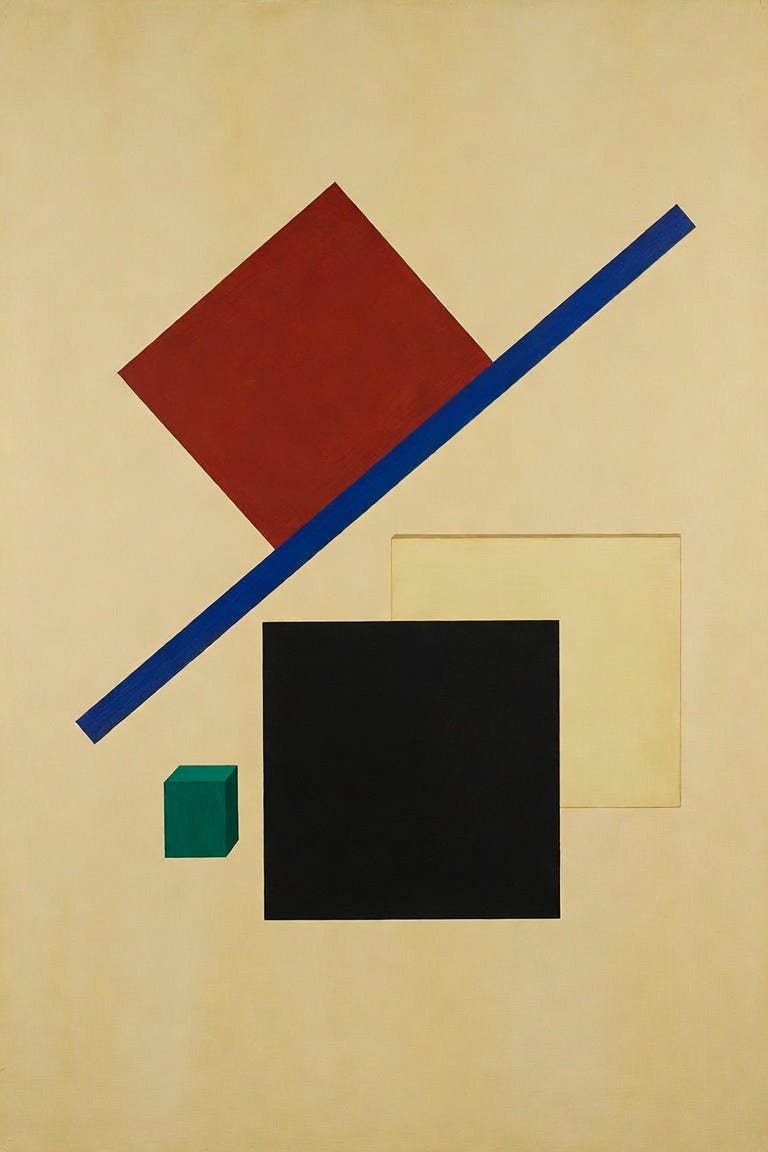
Create a museum-scale abstract painting on a warm ivory field, built from a tilted crimson quadrilateral, a slender cobalt bar, a dense matte-black square, a pale ochre rectangle, and one small emerald accent suspended in generous negative space. Arrange the forms with tense asymmetry, sharp geometric precision, and the sensation that gravity has been politely dismissed. Use flat, unmodulated pigment, razor-clean edges, faint canvas texture, and carefully measured intervals that create rhythm without traditional depth. The composition should feel radical, weightless, controlled, and quietly electric, balancing severe geometry with unexpected visual motion. No readable text, logos, recognizable people, or modern screens.
Open with a crimson quadrilateral slicing diagonally into a vertical ivory frame, followed by cobalt, black, ochre, and emerald shapes snapping into place on crisp musical beats. Make the forms rotate, accelerate, narrowly miss one another, and freeze in tense asymmetrical arrangements before breaking apart and reassembling into new geometric balances. Use sudden scale changes, clean directional wipes, subtle canvas grain, and sharp transitions between crowded motion and dramatic negative space. Keep the palette flat and saturated, the edges precise, and the movement magnetic from the first second, ending with every shape suspended in a perfectly balanced burst of color. No readable text, logos, recognizable people, or modern screens.
Two songs to pair with it:
Inspector Norse — Todd Terje
No Geography — The Chemical Brothers
This tiny formatting contract saved my copy-and-paste workflow from one enormous box. Follow for more practical AI experiments, visit my longer writing here, and comment with the strangest formatting battle you have had with an AI. There is a very good chance your copy button has also seen things.