Some languages get all the glory.
They show up in hoodies. They get conference keynotes. They get “OMG I rewrote my life in Rust” posts.
HTML and CSS?
They quietly hold the entire internet together like overworked stagehands who never get to bow. And if you doubt that, go look at the programming languages list in the 2025 Stack Overflow survey and try not to laugh at how “markup” and “stylesheets” are still out here doing cardio every day. Here’s that list: https://survey.stackoverflow.co/2025/technology
Anyway. Episode 11 is HTML/CSS, and yes, we’re counting them together because separating them is like separating toast from butter. You can do it, but people will watch you do it with concern.
What is it?
HTML is the structure of a web page. It’s the “what” and “what it means.”
A heading is a heading. A button is a button. A list is a list. HTML is your page speaking clearly to browsers, screen readers, search engines, and the future archaeologists who will one day uncover your old landing page and whisper, “Why is everything a div?”
If you want the clean, official, sensible version, this is a solid reference: https://developer.mozilla.org/en-US/docs/Web/HTML
CSS is the presentation layer. It’s the “how it looks and behaves visually.”
Spacing. Typography. Layout. Animation. Dark mode. The subtle art of making everything look like it wasn’t assembled at 2:07 a.m. from a mix of hope and caffeine. Here’s the reference that won’t judge you for still googling “center a div”: https://developer.mozilla.org/en-US/docs/Web/CSS
Is it still relevant?
Yes.
Not “yes, but…” Yes.
HTML and CSS are the floorboards of the web. Even if you’re using React, Remix, Astro, Tailwind, UnoCSS, a design system with 400 tokens, and a component library that comes with emotional support… it all becomes HTML and CSS by the time it hits the browser.
Frameworks change. Tooling changes. Trends change.
But the browser still wants dinner served in HTML and CSS.
Pros and cons
Pros
You get universality. If it renders in a browser, HTML/CSS are involved. That includes sites, web apps, documentation, dashboards, admin tools, and the “temporary” internal page that becomes mission critical for seven years.
You get accessibility and semantics when you do it right. A good HTML structure makes your site easier to navigate for everyone, including users with assistive tech and users with “I’m on a phone in the sun” conditions.
You get performance wins almost for free. Clean HTML and sensible CSS can make pages faster without any heroic “rewrite it all in WebAssembly” speeches.
Cons
CSS can feel like it has a secret personality. The same code can behave differently depending on specificity, cascade order, inheritance, and whether Mercury is in retrograde.
HTML lets you do the wrong thing very quickly. It won’t stop you from nesting five interactive elements inside each other like you’re building a trap for accessibility auditors.
Tooling can create abstraction hangovers. If you only learn the framework layer and never learn baseline HTML/CSS, debugging becomes interpretive dance.
Strengths and weaknesses
HTML’s strength is meaning. Its weakness is that it will happily let you produce meaningless soup if you ignore semantics.
CSS’s strength is power. Its weakness is also power, because it can quietly override itself in ways that make you question your career choices.
Both are deceptively simple. They look friendly. They feel approachable. Then you try to build a responsive layout that doesn’t collapse into sadness at 768px, and suddenly you’re bargaining with the universe.
What is it used for?
HTML:
- Document structure
- Forms
- Semantic layout
- Content hierarchy
- Accessible UI foundations
CSS:
- Layout systems (Flexbox, Grid)
- Responsive design
- Typography and spacing
- Theme systems (light/dark, brand variants)
- Motion and micro-interactions
Together:
- Everything you see on the web that isn’t a PDF, and even some of the PDFs are basically HTML wearing a trench coat.
A simple example
Here’s a tiny card component with modern CSS that behaves nicely, stays readable, and doesn’t require a 19-step build pipeline or a ritual sacrifice.
<div class="card">
  <h2>Launch Checklist</h2>
  <ul>
    <li>Semantic HTML</li>
    <li>Readable typography</li>
    <li>Responsive layout</li>
    <li>Dark mode</li>
  </ul>
  <button type="button">Ship it</button>
</div>

<style>
  :root {
    --bg: #ffffff;
    --fg: #111111;
    --muted: #666666;
    --border: #e5e5e5;
    --radius: 16px;
  }
  @media (prefers-color-scheme: dark) {
    :root {
      --bg: #0b0b0b;
      --fg: #f5f5f5;
      --muted: #b0b0b0;
      --border: #2a2a2a;
    }
  }
  .card {
    max-width: 520px;
    padding: 18px;
    border: 1px solid var(--border);
    border-radius: var(--radius);
    background: var(--bg);
    color: var(--fg);
    font: 16px/1.5 system-ui, -apple-system, Segoe UI, Roboto, Arial, sans-serif;
  }
  .card h2 {
    margin: 0 0 10px;
    font-size: 20px;
  }
  .card ul {
    margin: 0 0 14px;
    padding-left: 18px;
    color: var(--muted);
  }
  .card button {
    border: 1px solid var(--border);
    background: transparent;
    color: var(--fg);
    padding: 10px 12px;
    border-radius: 12px;
    cursor: pointer;
  }
  .card button:hover {
    transform: translateY(-1px);
  }
</style>
Yes, that’s “just HTML/CSS.” And yes, it can still look good without a 200MB node_modules folder gasping for air.
Alternatives
This is where it gets funny, because the “alternatives” aren’t actually alternatives.
You can write:
- JSX, TSX, templating engines, markdown pipelines, static site generators, server-rendered components
You can style with:
- Tailwind, UnoCSS, CSS Modules, styled-components, emotion, vanilla-extract, design tokens, utility-first everything
But the ending is always the same: The browser receives HTML and CSS.
All roads lead to the same destination. Some roads are just paved with more plugins.
History and who invented it?
HTML was created by Tim Berners-Lee as part of the early web.
CSS was proposed by Hakon Wium Lie and developed with contributions from many folks, including Bert Bos.
Which is honestly poetic: One language says “this is what it is.” The other says “and here’s how we want it to feel.” It’s basically a long-running collaboration between meaning and aesthetics, like a design critique that never ends.
Popularity: up or down?
HTML and CSS aren’t trending. They’re permanent.
They don’t rise and fall like frameworks. They’re the baseline of the web itself.
If you hear someone say “HTML/CSS are dead,” what they mean is: “I learned a framework before learning the foundation, and now I’m emotionally invested in pretending the foundation isn’t there.”
Does it work well with AI?
Extremely well.
AI is great at:
- generating consistent component markup
- producing variations (card, modal, navbar, grid)
- explaining why your layout is collapsing
- translating “make this feel calmer” into spacing + typography changes
- suggesting accessibility improvements (labels, roles, focus states)
AI is also great at confidently lying about why your CSS isn’t working.
So use it like a helpful assistant, not like a wizard. Always verify in the browser. The browser is the final boss.
What tech stack does it work with?
All of them.
If you’re building with TypeScript + Node.js (or Deno, Workers, Vercel functions), or you’re on Kotlin/Scala server-side, or you’re building Remix/Astro frontends, or you’re shipping documentation with Sphinx/MkDocs… HTML/CSS are still in the loop somewhere.
They’re the one dependency you can’t uninstall.

Tools that work best with it
- A good editor with HTML/CSS autocomplete
- Browser devtools (still undefeated)
- A linter/formatter if you like peace
- A design system if your team is large and your buttons have unionized
Cost-wise, HTML/CSS are free. The real cost is the number of times you whisper “why” into your keyboard at 1 a.m.
Famous art?
Not exactly.
But HTML and CSS have inspired something better: millions of accidental modernist compositions created by broken layouts.
The web has generated more abstract art via “float: left” than most galleries will ever admit.
Grab something from the shop
If you want to support the series and pick up some art while you’re at it, you can browse the latest work here: https://www.redbubble.com/people/DaveLumAI/explore?page=1&sortOrder=recent
If this episode made you smile, follow along for the next one.
And drop a comment with your hottest HTML/CSS take: Are you Team Grid, Team Flexbox, or Team “Whatever Works Please I Have A Deadline”?
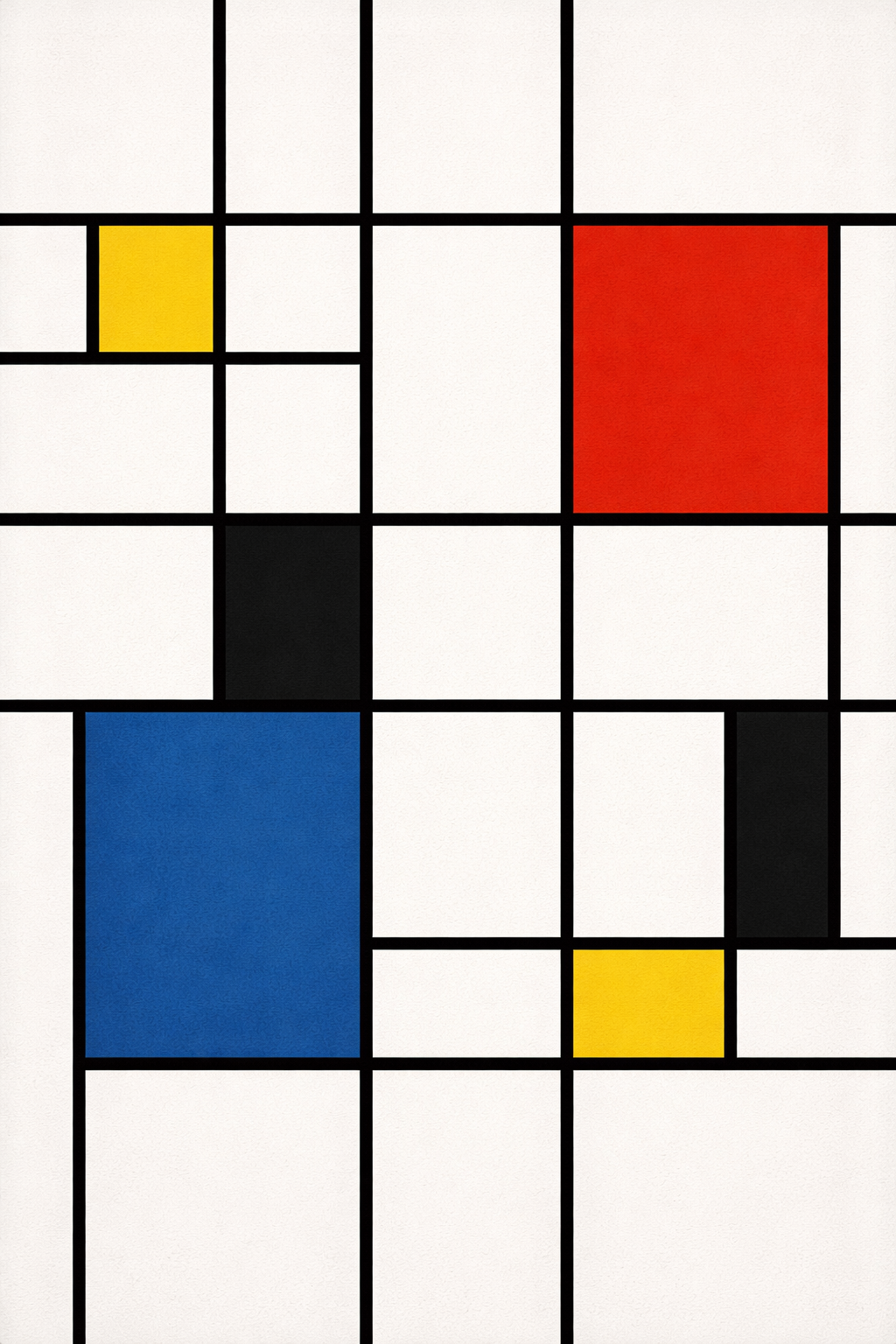
Art Prompt (De Stijl): A crisp, abstract composition built from a strict grid of black vertical and horizontal lines, dividing the canvas into asymmetrical rectangles. A handful of blocks are filled with flat, saturated primary colors (a bold red, a deep blue, a bright yellow) while the remaining spaces stay pure white, creating a balanced tension between emptiness and color. The edges are razor-clean, the geometry feels deliberate and architectural, and the overall mood is calm, precise, and quietly confident, like a perfectly organized desk that still has personality.
Video Prompt: Begin immediately with a sharp, rhythmic sequence of geometric blocks snapping into place over a clean white background as black lines draw themselves across the frame like animated ink. Have red, blue, and yellow panels pop in with satisfying motion, then slide, resize, and trade positions in quick, clean transitions timed to the beat. Add moments where the grid briefly “misaligns” by a few pixels, then locks back into perfect order like a visual punchline. Include subtle lighting shifts and soft shadow cues to give depth without losing the flat, graphic look. Finish with a final, perfectly balanced composition that lands on screen with a confident, crisp stop.
Song Suggestions:
- Two Weeks — FKA twigs
- Anchor — Novo Amor